PlatformInfrastructure
Every server, process and container, in one view.
Install the Televane agent on Windows or Linux with one command. Within a minute you see CPU, memory, disk and network for every host, the processes using them, and the containers running on them.
What is infrastructure monitoring?
Infrastructure monitoring tracks the health of the machines your software runs on: CPU, memory, disk, network, the processes using them and the containers on top. It answers the first question in most incidents: is the server itself the problem?
Good server monitoring collects these numbers continuously, keeps history so you can compare today with last week, and alerts before a disk fills or a process runs away, not after users notice. Televane does this for Windows and Linux with one lightweight agent, and puts every host, process and container in one view next to your logs and traces.
Lightweight, safe and quick to install
One command per server — PowerShell on Windows, a shell on Linux.
- Windows Server 2016–2025, Windows 10/11 and Linux — x64 and ARM, down to Raspberry Pi
- Outbound only — no listening ports, no inbound firewall rules
- Bounded resources — about 1 CPU core at most, 128 MB memory and a 64 MB disk buffer by default
- Keeps up to 24 hours of data on disk if the network drops, then catches up
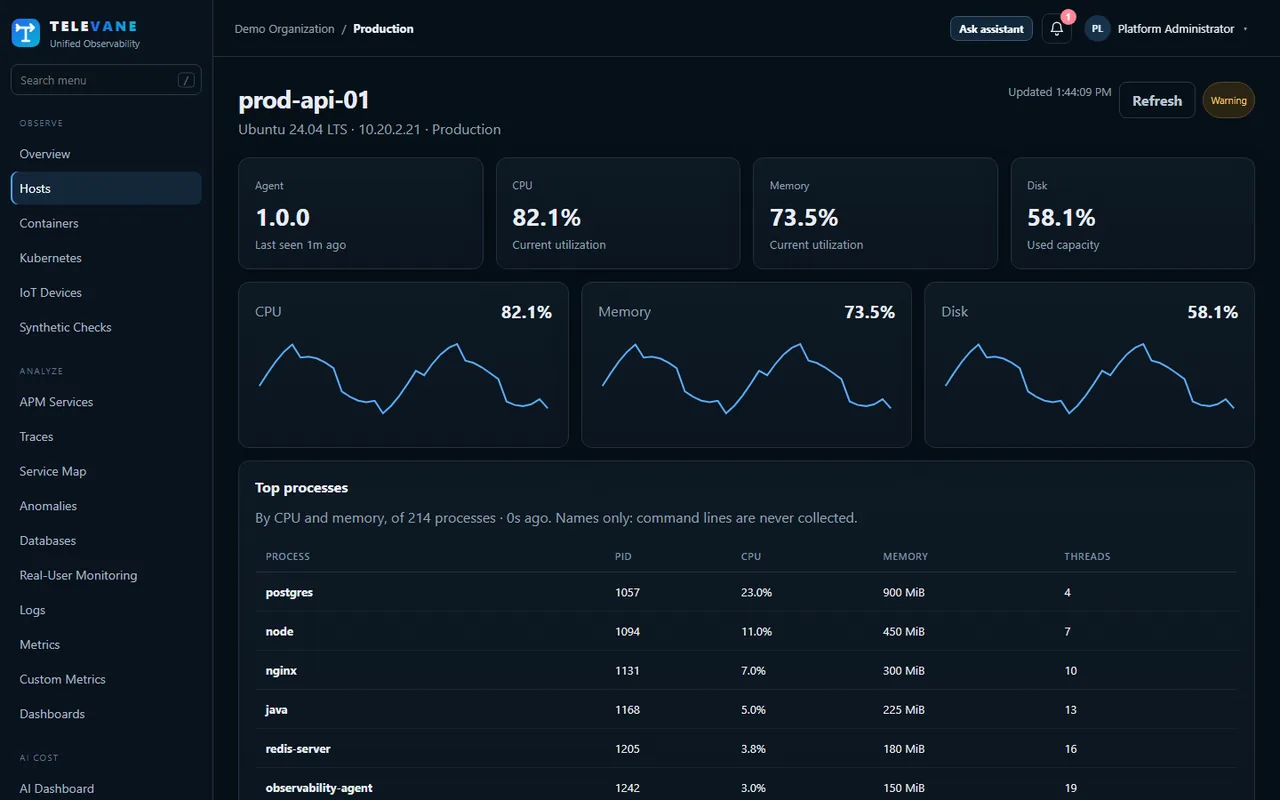
What each host reports
Every 15 seconds by default, configurable from 5 seconds to 10 minutes.
- CPU, memory, disk and network throughput
- Top processes — the 15 busiest by CPU and by memory, every minute (names only, never command lines)
- Docker and Podman containers — state, CPU and memory against the limit
- Logs — files, the Windows Event Log and the systemd journal, with secrets masked on the host
Run a fleet, not just a server
Manage agents from the portal.
- Agent health — buffer, export failures and versions for every agent
- Remote configuration — change log sources and redaction rules from the portal, per environment or per host
- Diagnostics — preview exactly what is sent, and a diagnose command that names the fix for any problem
Get started in three steps
- Create a free account — Sign up at portal.televane.com. The Free plan needs no card, and new organizations can try Pro free for 14 days.
- Check, then install the agent — Run the read-only pre-check on the server, then copy the install command from Add data: PowerShell on Windows, a shell on Linux.
- Watch the data arrive — The server appears within a minute or two. Turn on ready-made alert templates for the problems you care about.
Works together with
Infrastructure: common questions
Which operating systems does the Televane agent support?
Windows Server 2016 to 2025, Windows 10 and 11, and Linux on x64 and ARM, including Raspberry Pi. macOS is not supported.
Is the agent safe to run on production servers?
Yes. It connects out over HTTPS only and opens no ports, its CPU and memory are capped (about one core and 128 MB by default), and a read-only pre-check tells you before installing whether the server has room for it.
Do I pay per host?
No. Televane charges for the data you send each month, not per server, container or agent.
What happens if the network goes down?
The agent keeps up to 24 hours of data in a disk buffer and sends it when the connection returns.
Try it on your own systems
Create a free account, install the agent with one command and see your data in minutes. 14-day Pro trial, no card needed.
Start free